Knowledge Article
IdentityNow Rule Guide - JDBC BuildMap Rule
Author
dustin_yeager
SailPoint
Purpose
A JDBCBuildMap rule is used to manipulate the raw input data (provided via the rows and columns in the file) and build a map out of the incoming data.
Execution
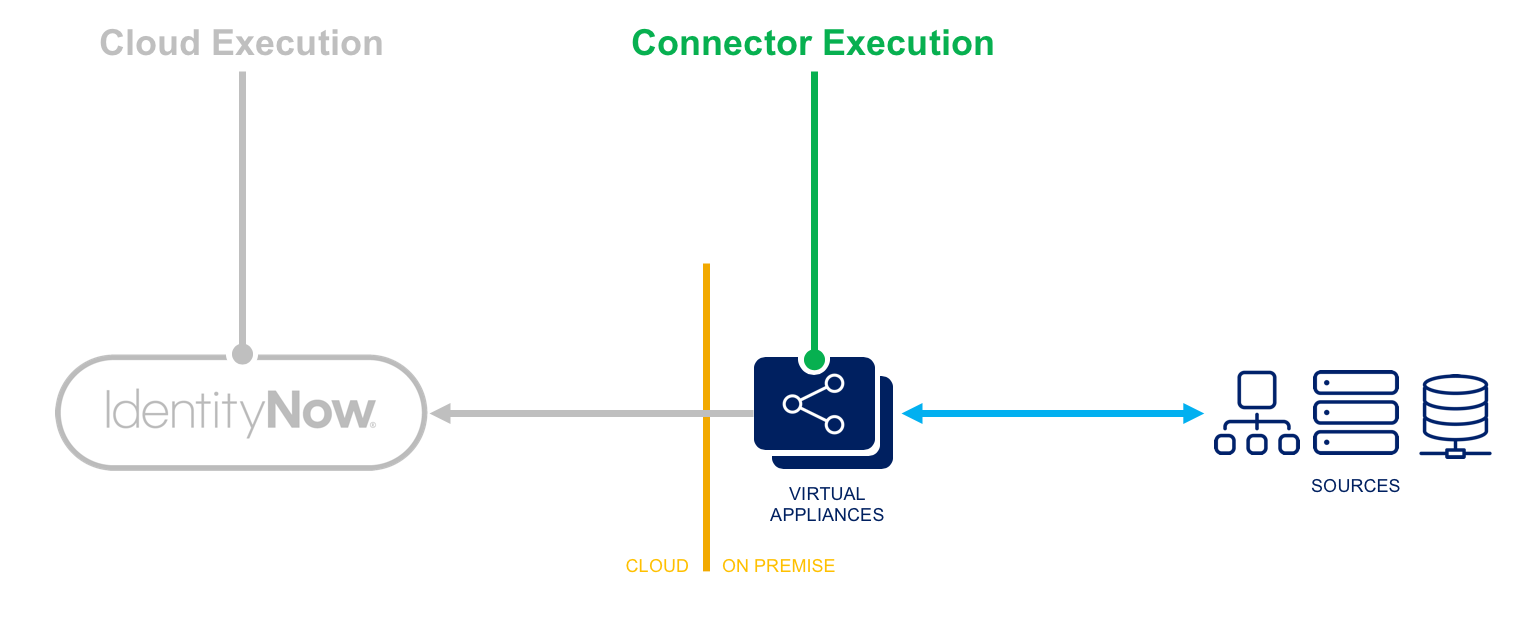
- Connector Execution - This rule executes within the Virtual Appliance and may offer special abilities to perform connector-related functions, and may offer managed connections to sources.
- Logging - Logging statements are viewable within the ccg.log on the Virtual Appliance and by SailPoint personnel.
Input
result | java.sql.ResultSet | The current ResultSet from the JDBC Connector. |
connection | java.sql.Connection | A reference to the current SQL connection. |
state | java.util.Map | A Map that can be used to store and share data between executions of this rule during a single aggregation run. |
application | sailpoint.object.Application | Attribute value of the identity attribute before the rule runs. |
schema | sailpoint.object.Schema | A reference to the Schema object for the Delimited File source being read. |
Output
map | java.utl.Map | Map of names/values representing a row of data from the JDBC resource |
Template
<?xml version='1.0' encoding='UTF-8'?>
<!DOCTYPE Rule PUBLIC "sailpoint.dtd" "sailpoint.dtd">
<Rule name="Example Rule" type="JDBCBuildMap">
<Description>Describe your rule here.</Description>
<Source><![CDATA[
// Add your logic here.
]]></Source>
</Rule>
Example
<?xml version='1.0' encoding='UTF-8'?>
<!DOCTYPE Rule PUBLIC "sailpoint.dtd" "sailpoint.dtd">
<Rule name="Example Rule" type="JDBCBuildMap">
<Description>
This basic rule performs the default mapping and then replaces the “status” value read from the database with a
Boolean “inactive” attribute in the map.
</Description>
<Source><![CDATA[
import sailpoint.connector.*;
Map map = JDBCConnector.buildMapFromResultSet(result, schema);
String status = (String) map.get("status");
if( "inactive".equals(status) ) {
map.put("inactive", true);
} else {
map.put("inactive", false);
}
map.remove("status");
return map;
]]></Source>
</Rule>