Knowledge Article
How to Format Identity Attribute Date Values to Be Searchable in Search
Author
christina_gagnon
SailPoint
The search interface in Identity Security Cloud requires all searchable date values to be in ISO8601 format (yyyy-MM-dd'T'HH:mm:ss.SSSZ or yyyy-MM-dd) to be searchable. Many authoritative source systems do not store dates in either of these formats. If identity attributes like startDateor endDate are mapped to source account attributes whose values are in the wrong date format, those date values will not be properly searchable in search.
For example, if the startDate values are in the MM/dd/yyyy format, a search for identities whose start date is before January 1, 2016, will return erroneous results, typically 0 results:
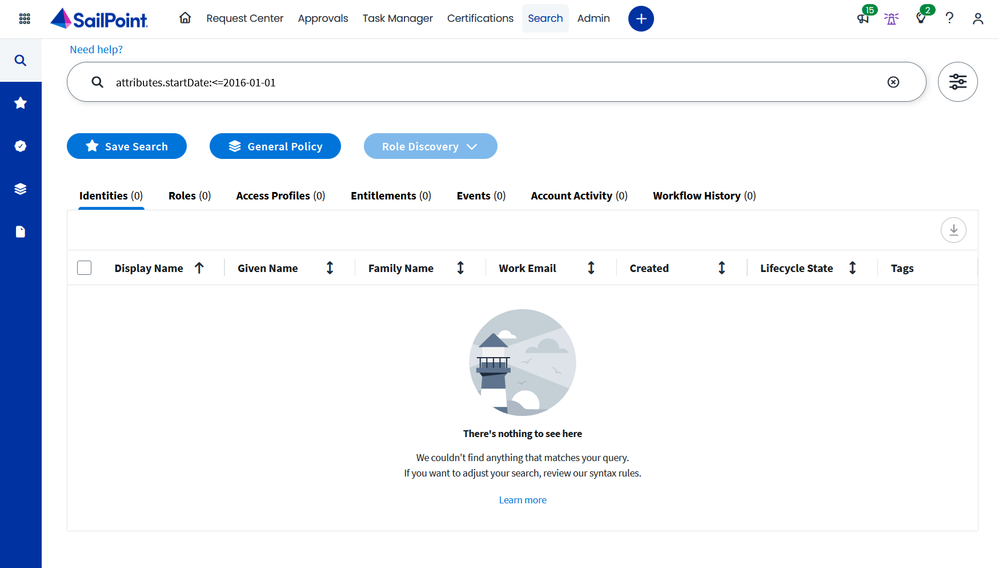
FormatDate_BeforeSearch.png
The above search is returning zero results even though doing a search to find all identities shows us that there are clearly identities with start dates before January 1, 2016:
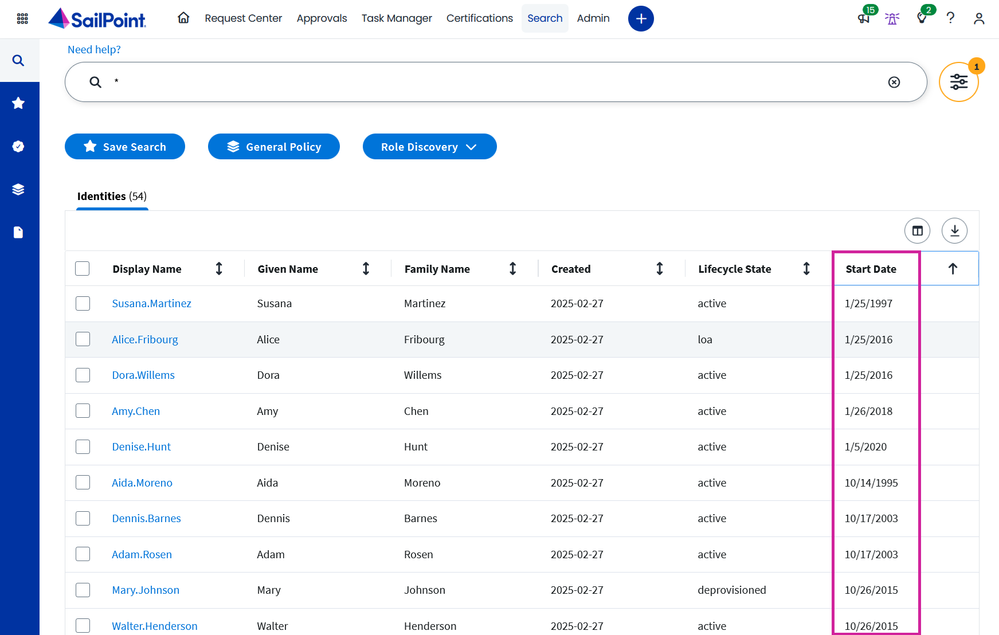
FomratDate_IdentitiesBefore.png
We need to build and apply a transform to the startDateidentity attribute that converts the values to a format that is searchable in search. There is a primitive operation, dateFormat, that does exactly this.
Within the attributessection of the of the dateFormat primitive operation, we configure the inputFormatto match the incoming format of our date values and the outputFormat to our desired output date format:
{
    "name": "FormatDate",
    "type": "dateFormat",
    "attributes": {
        "inputFormat": "MM/dd/yyyy",
        "outputFormat": "yyyy-MM-dd"
    }
}
We deploy this transform to the tenant with the POST /transforms API endpoint in Postman:
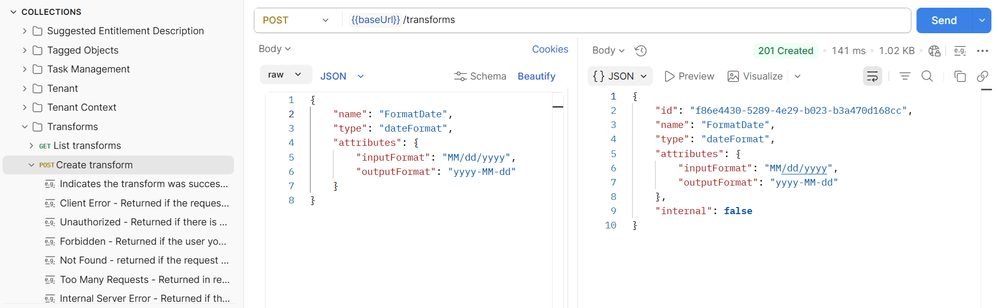
FormatDateTransform.png
Then we apply the transform to the startDateidentity attribute on the Identity Profile > Mappings page:

FormatDate_IdentityProfile.png
After the startDateidentity attribute values have been recalculated with the new transform, our original search will now return correct results:
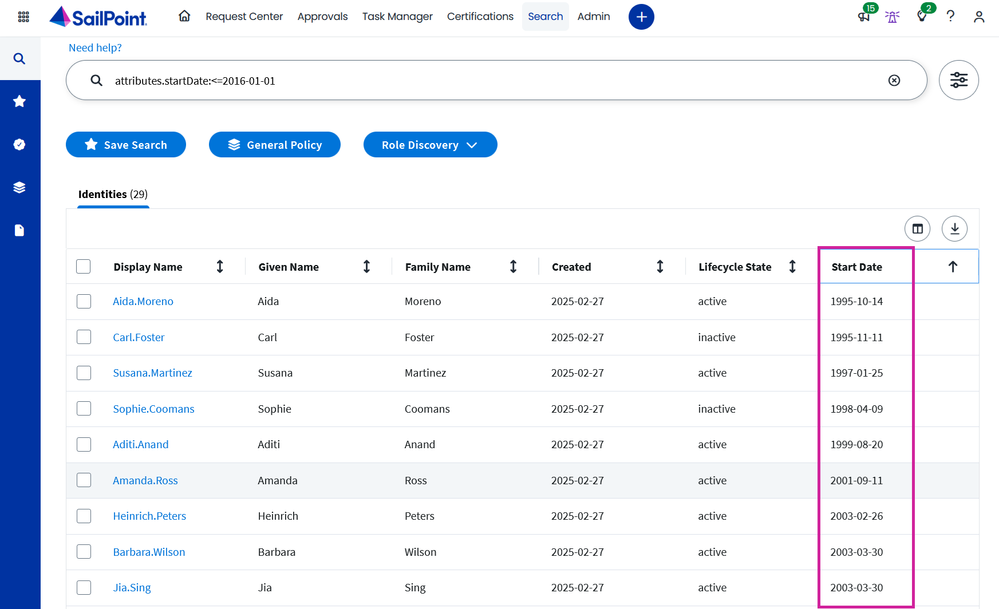
DateFormat_SearchResults_After.png